Was this helpful?
Join our Discord community to ask questions, give feedback, or suggest improvements.
Join Discord[ RELATED ]
Join our Discord community to ask questions, give feedback, or suggest improvements.
Join DiscordThe Timing Heatmap pulls the same strategies as the Playbook but presents them as a heatmap of timings — each strategy is broken down by the seconds of the round when it tends to happen, so you can see at a glance which timings a team prefers for every play.
Filters are shared with the Playbook and Anti-Strat through the same store, so the team, map, match limit, and time period you pick in any of those modes are already loaded here.
The full Playbook filter set is available here — same controls, same shared store. Use them to restrict the heatmap to the exact subset of rounds you want to study:
Each strategy in the heatmap can be expanded to drop down to the individual rounds where it was detected, grouped by their timing buckets.
From the expanded view, click any specific timing to open the round directly in the inline player and watch exactly how that execution went down. Useful when a particular bucket stands out and you want to confirm what is happening at that second.
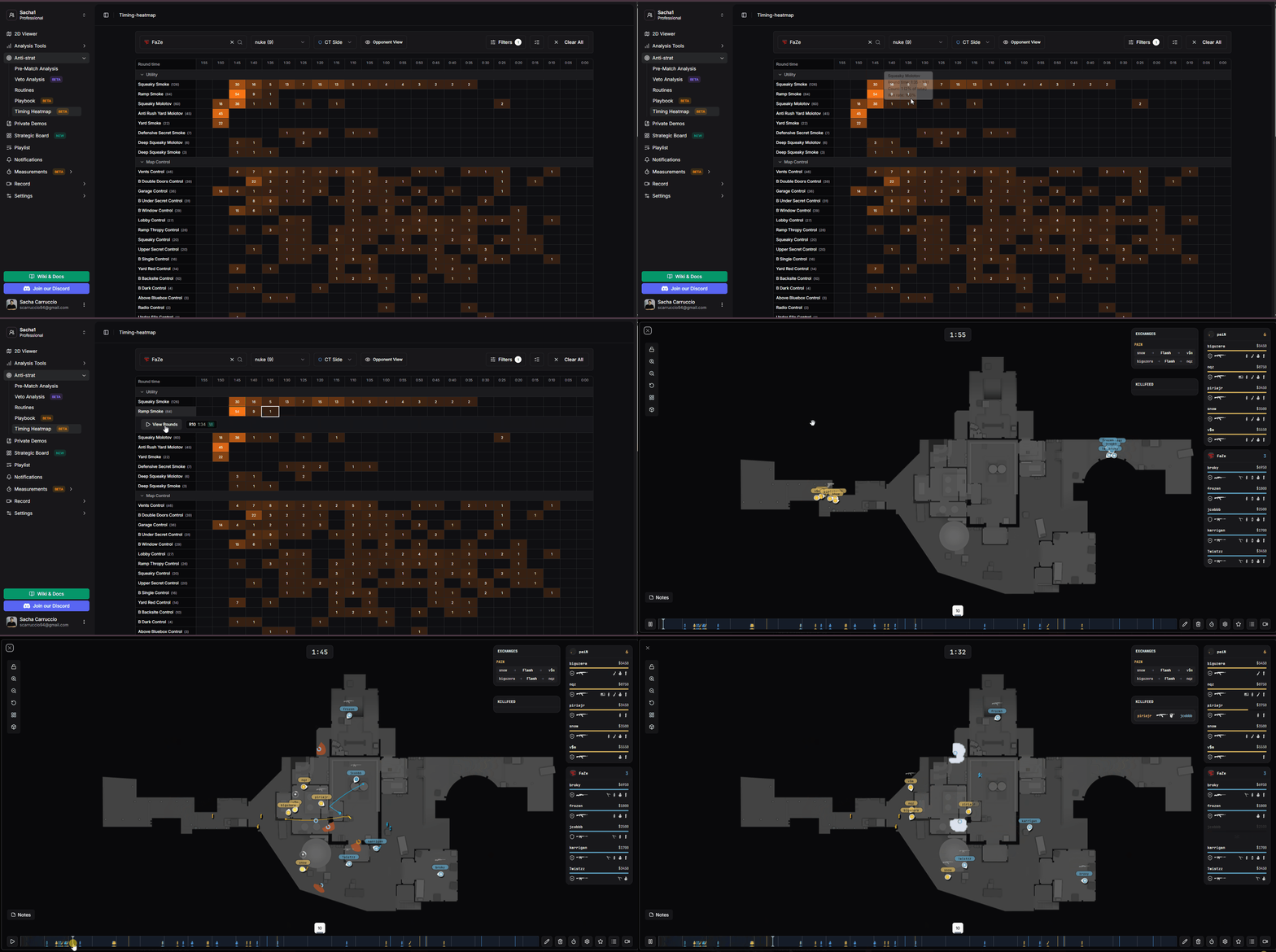
Expanding a strategy to see the individual rounds inside each timing bucket
The heatmap uses a single warm scale so you can read the most-used timings at a glance:
Everything in between fades smoothly from one to the other, so a glance at the row tells you whether the team is consistent on a single tempo or splits between several timings.
Knowing the timings opponents prefer changes how you set up your defense and how you spend utility. Some practical reads: