Was this helpful?
Join our Discord community to ask questions, give feedback, or suggest improvements.
Join Discord[ RELATED ]
Join our Discord community to ask questions, give feedback, or suggest improvements.
Join DiscordThe Pre-Match Analysis module provides comprehensive tools for analyzing opponent teams before a match. Select the filters to start your analysis.
Select the opponent team you want to analyze
Filter analysis to a specific map
Filter by CT or Terrorist side
Select the time period for the analysis
Limit the number of maps to analyze (e.g., last 25 maps)
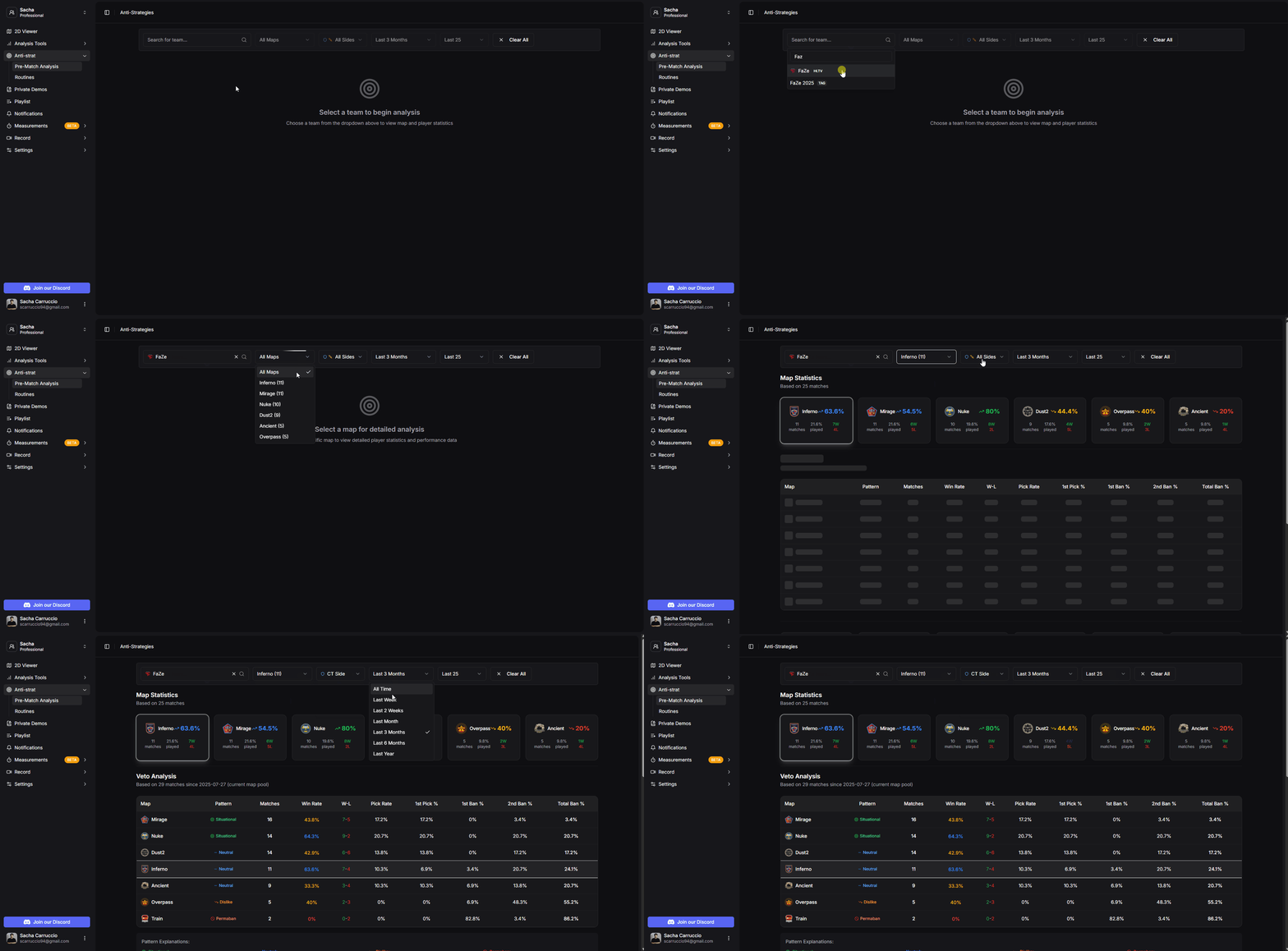
Pre-match analysis filter selection
View comprehensive statistics for each map played by the selected team.
Number of times each map has been played
Percentage of maps won
How often this map is played compared to other maps
Total wins and losses on each map

Map statistics overview
Analyze the team's veto patterns to make informed decisions about map selection.
If the selected date range extends beyond the last map pool change, the analysis will only include vetos from after the change to ensure accurate results.
Maps the team picks occasionally (>15% pick rate)
Maps left open for opponents to pick
Maps frequently banned but not first priority
Maps banned first (>50% first ban rate)
The veto table includes columns for Map, Pattern, Matches played, Win Rate, W-L record, Pick Rate, 1st Pick %, 1st Ban %, 2nd Ban %, and Total Ban %.
Below the table, you can see a list of the last 5 match vetos to understand the team's recent veto decisions. This information is sufficient for making correct and precise decisions about what to veto or select.
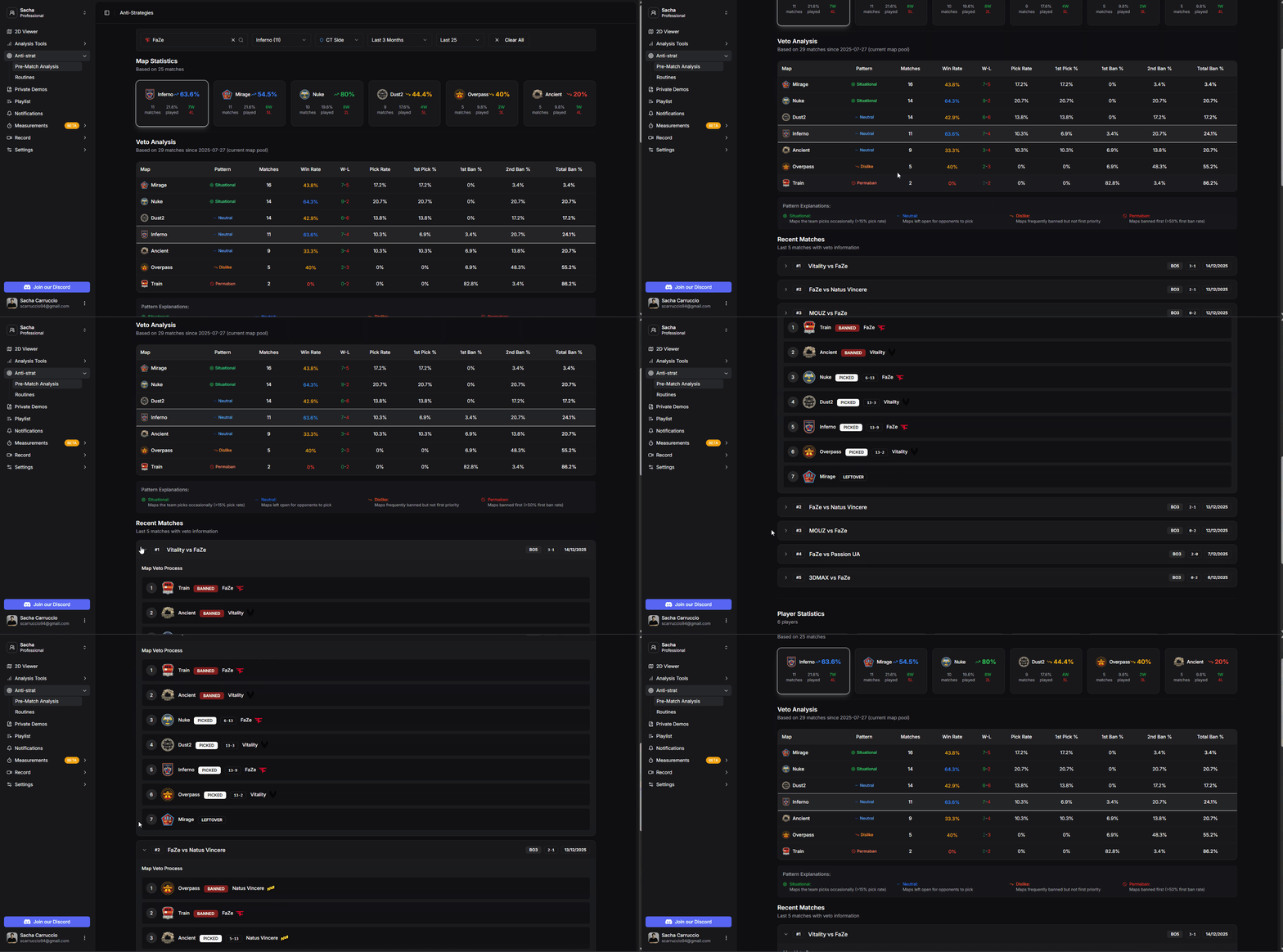
Veto analysis with patterns and statistics
View individual player statistics for the selected team on the selected map, including K/D, ADR, KAST, and Impact ratings.
Our Machine Learning model detects player roles and provides probability percentages for each role. For example, it can identify that a player plays as an A Rotator on CT side with 100% probability.
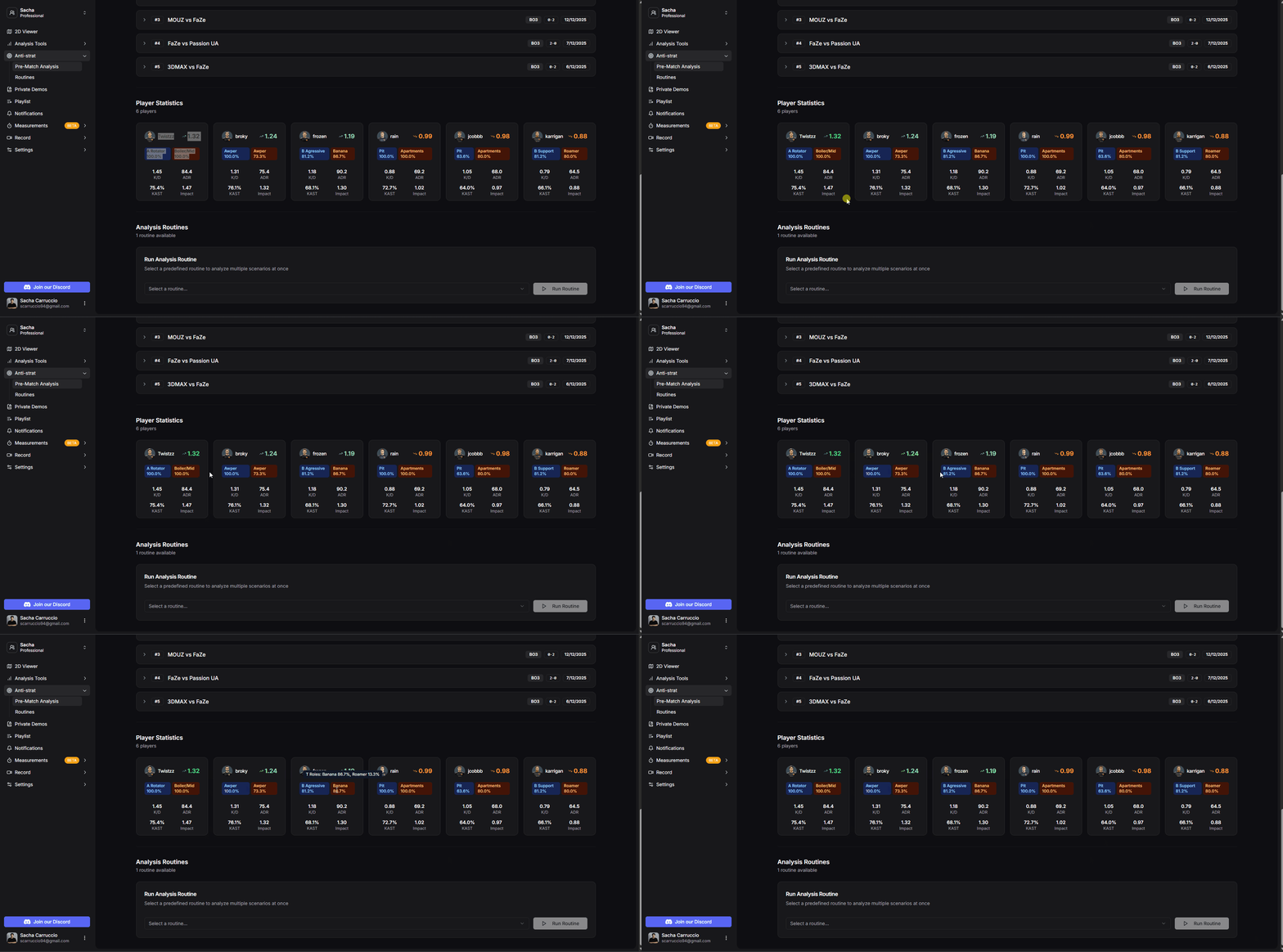
Player statistics with role detection
Run the analysis routines you created in the Routines section
Select the routine you want to run and it will return all rounds grouped by their respective elements or filters.
All matching rounds are organized into their respective filter elements
Play through element by element without leaving the page
Choose which maps you want to include or exclude from the analysis
Expand each match to see which rounds fall into each section
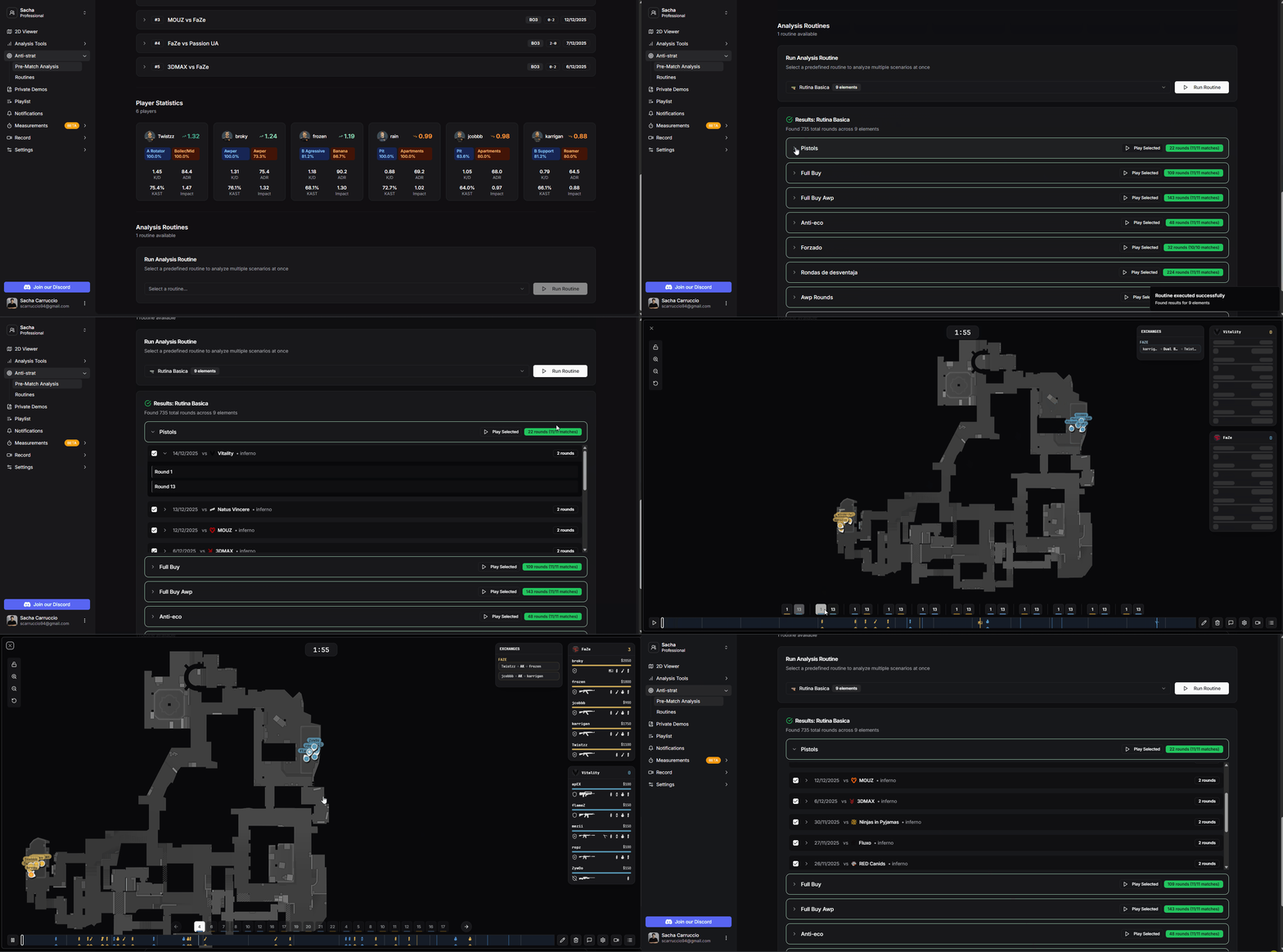
Running analysis routines