Was this helpful?
Join our Discord community to ask questions, give feedback, or suggest improvements.
Join Discord[ RELATED ]
Join our Discord community to ask questions, give feedback, or suggest improvements.
Join DiscordTeam Notes allow you and your teammates to add annotations to specific moments in demos for collaborative analysis.
Notes are stored per map, so to view your notes you need to enter the match and map where they were created and open the notes panel.
All notes are shared among team members, so everyone can see each other's annotations and insights.
Create notes directly from the 2D viewer by clicking the Notes button in the toolbox. Your note will be saved with the current round and timestamp.
Click on any saved note to instantly jump to the exact moment it was created, making it easy to review specific plays or situations.
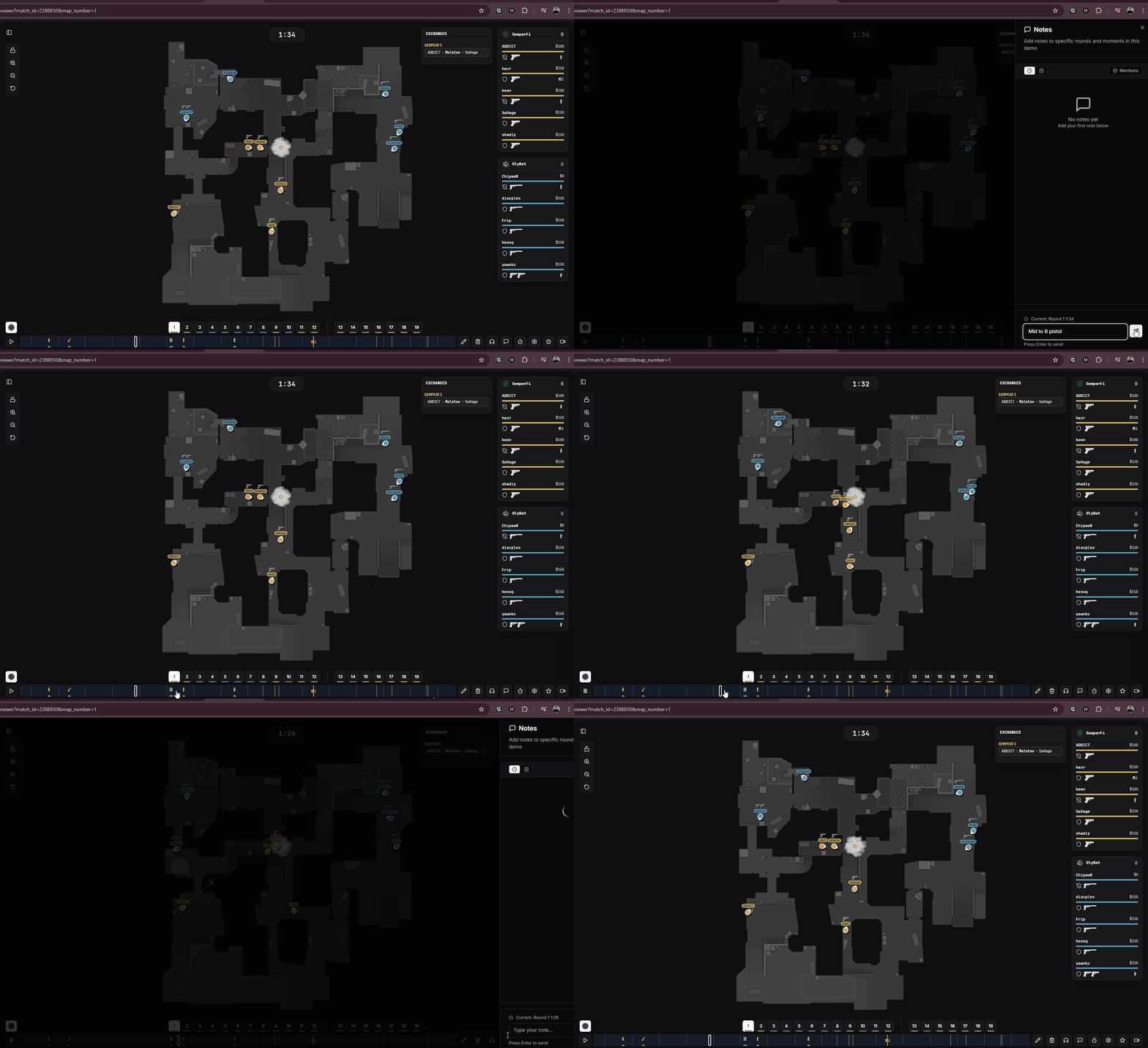
Creating and navigating notes in the 2D viewer
Tag your teammates in notes using @ mentions. Simply type @ followed by their name to create a mention.
When you mention a teammate, they will receive a notification with the note content and a button to jump directly to that round.
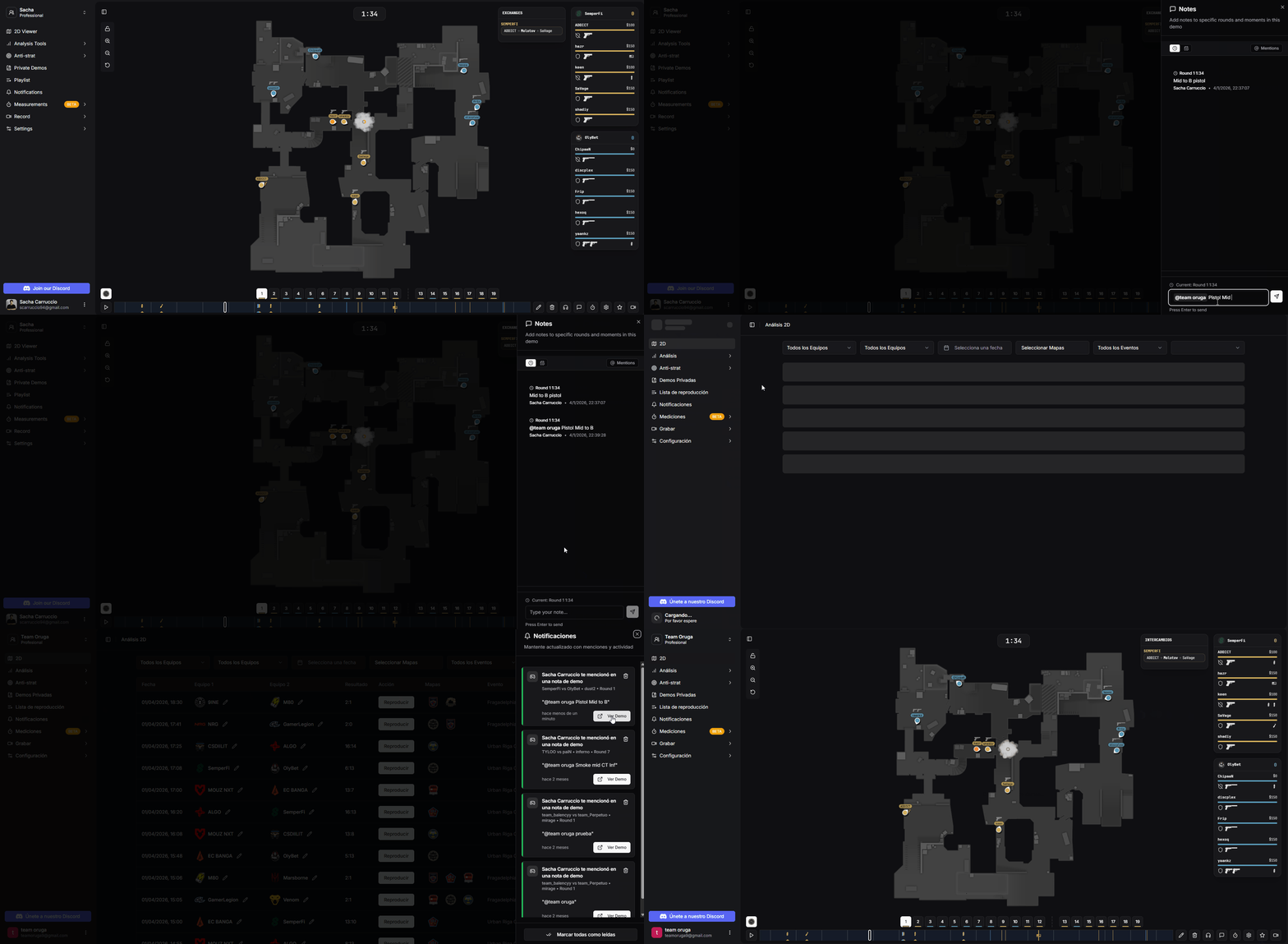
Mentioning teammates in notes and receiving notifications
The notes panel provides several options to help you find and organize your annotations:
View notes in chronological order based on when they were created
Organize notes by the round and time within the match
Show only notes where you were specifically mentioned
Access all your team's notes in one place through the global notes view.
Navigate to the Playlists section and switch to the Notes view to see all notes across all matches and maps.
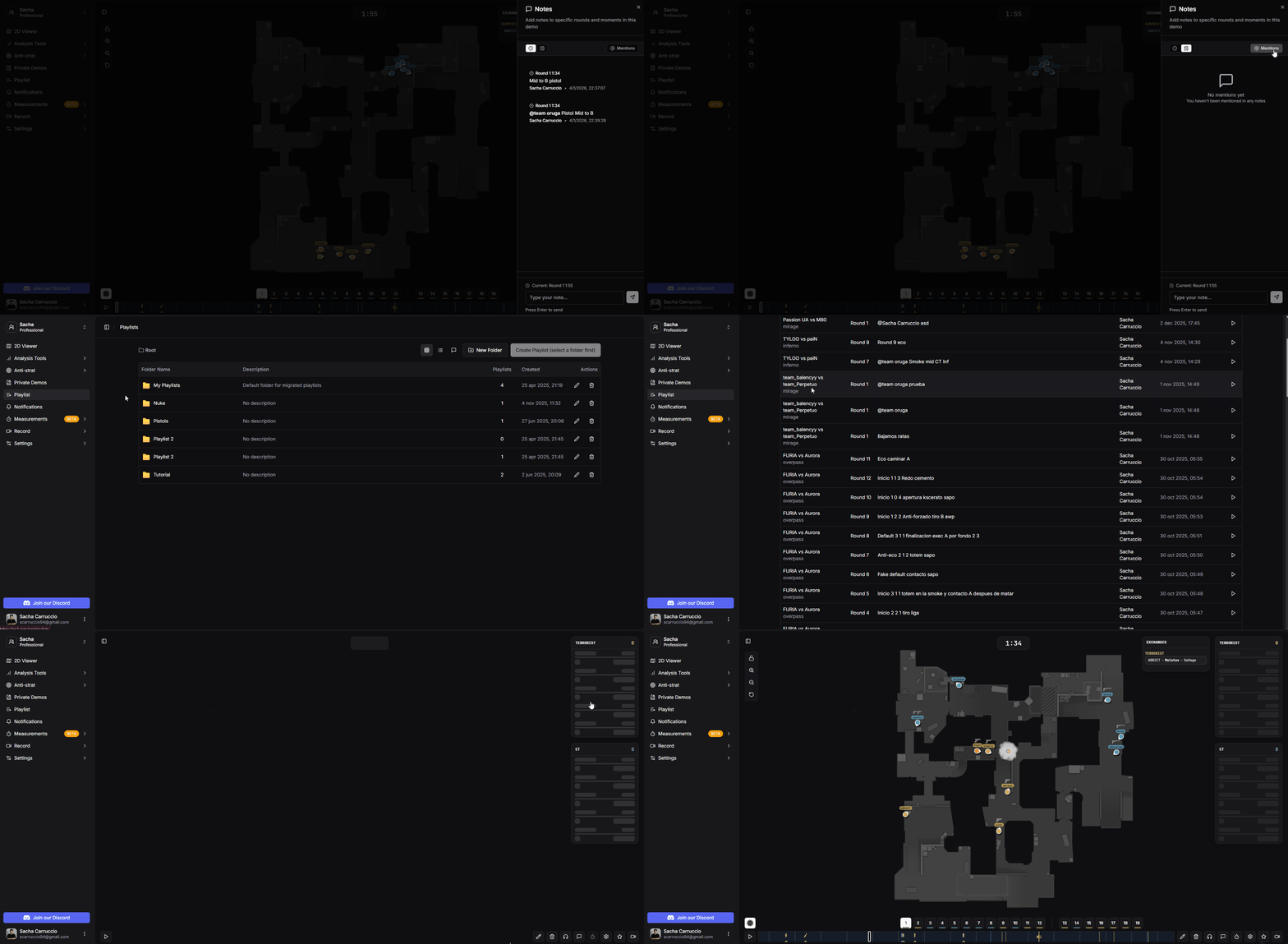
Global notes view in the playlists section