Was this helpful?
Join our Discord community to ask questions, give feedback, or suggest improvements.
Join DiscordJoin our Discord community to ask questions, give feedback, or suggest improvements.
Join DiscordPlaylists allow you to save and organize important rounds for later review. Create collections for different purposes and share them with your team.
Save rounds showing specific tactics, setups, or executes to study and practice
Build libraries of examples for team practice sessions and reviews
Organize rounds from recent matches to review with your team
Collect impressive plays or interesting moments from matches
Playlists are private by default - only members of your team can access them.
Adding a round to a playlist is quick and easy from the 2D viewer.
Click the star icon in the toolbar while viewing any round
Choose the folder where your playlist is located
Pick the playlist and the round is saved automatically
You can also create new folders and playlists directly from this menu for quick access.
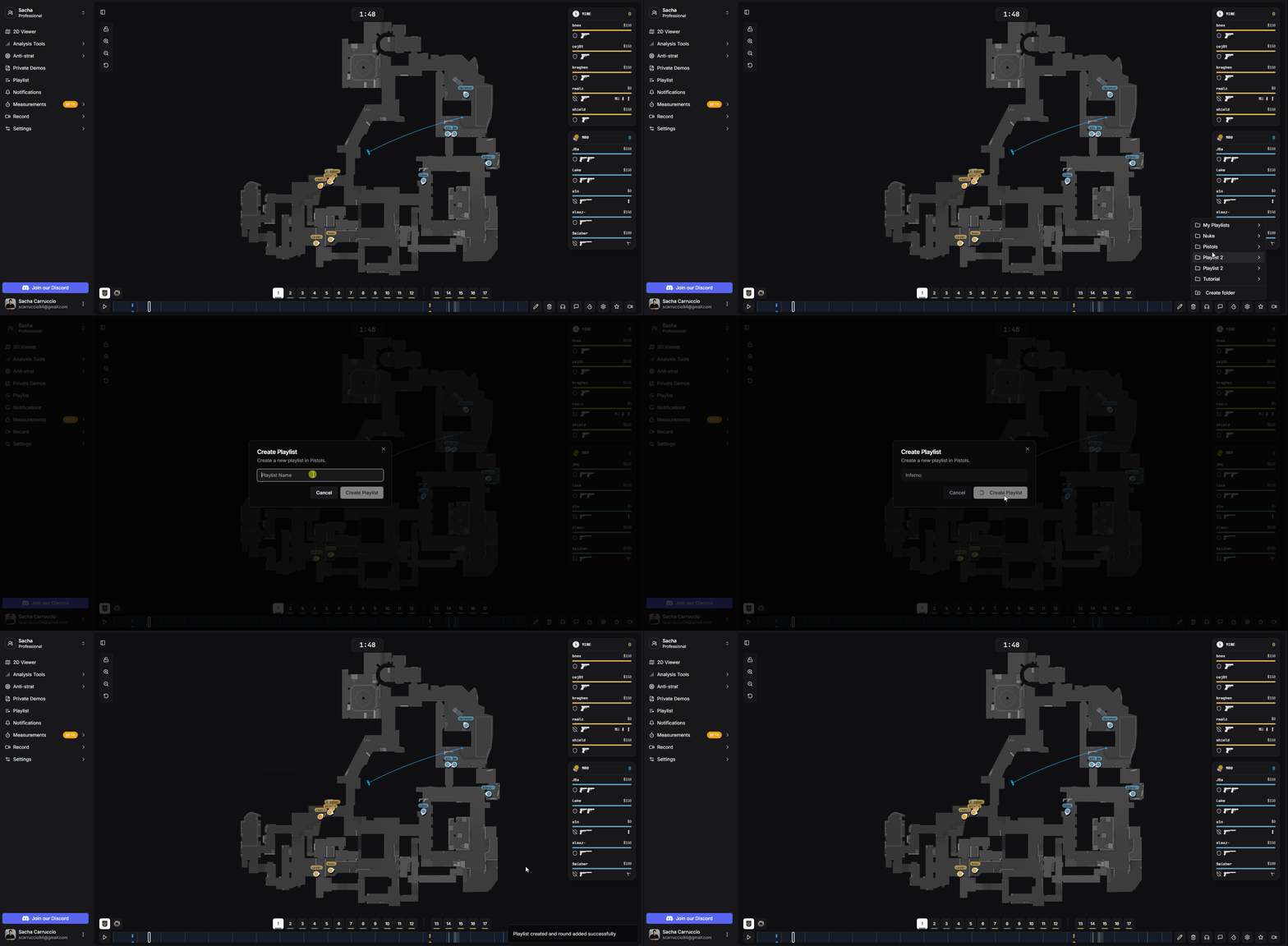
Adding a round to a playlist
Access all your playlists from the sidebar for a global view of your collections.
Navigate through your folder structure to find specific playlists organized by category
See all playlists without folders, sorted by creation date for quick access to recent collections
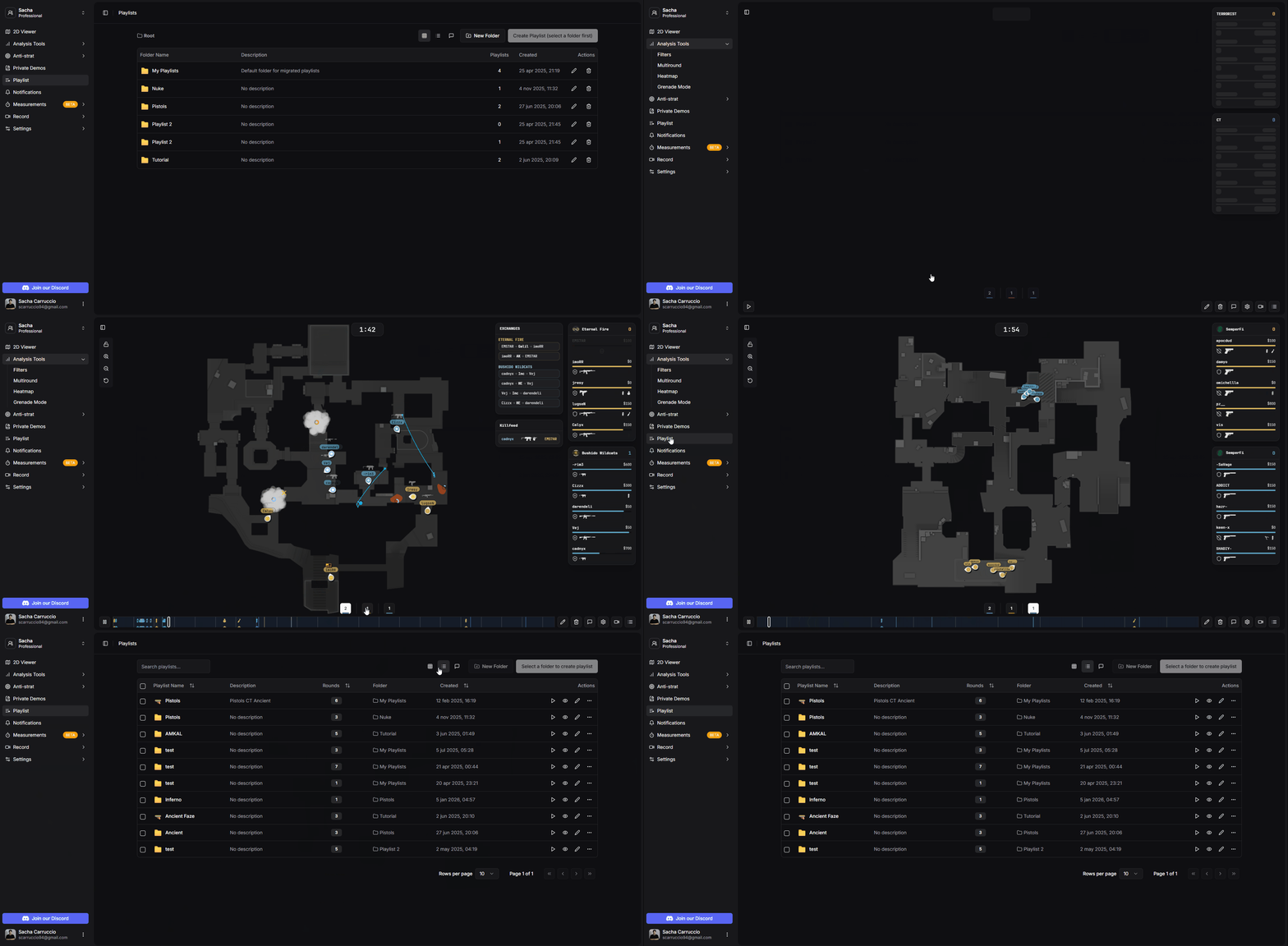
Switching between playlist views
Keep your playlists organized with folders and easy reorganization options.
Create folders to categorize your playlists by opponent, topic, or any system you prefer
Create new playlists from both the sidebar and the 2D viewer
Drag and drop or use the menu to move playlists between folders for better organization
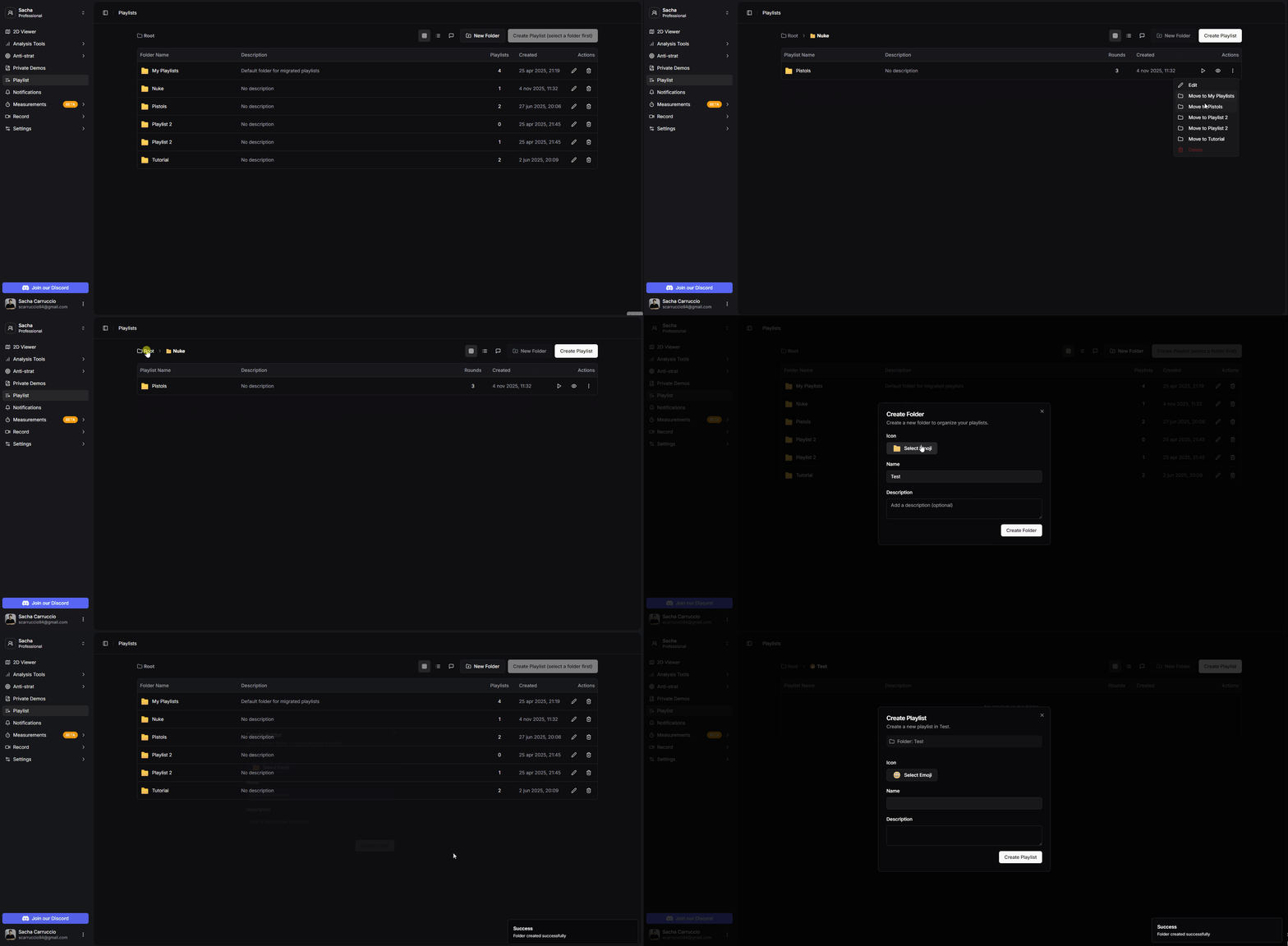
Organizing playlists and folders
Open any playlist to see all saved rounds and manage them individually.
See all rounds saved in the playlist with match details and timestamps
Remove rounds from the playlist that are no longer needed
Send saved rounds directly to the recording queue for offline viewing
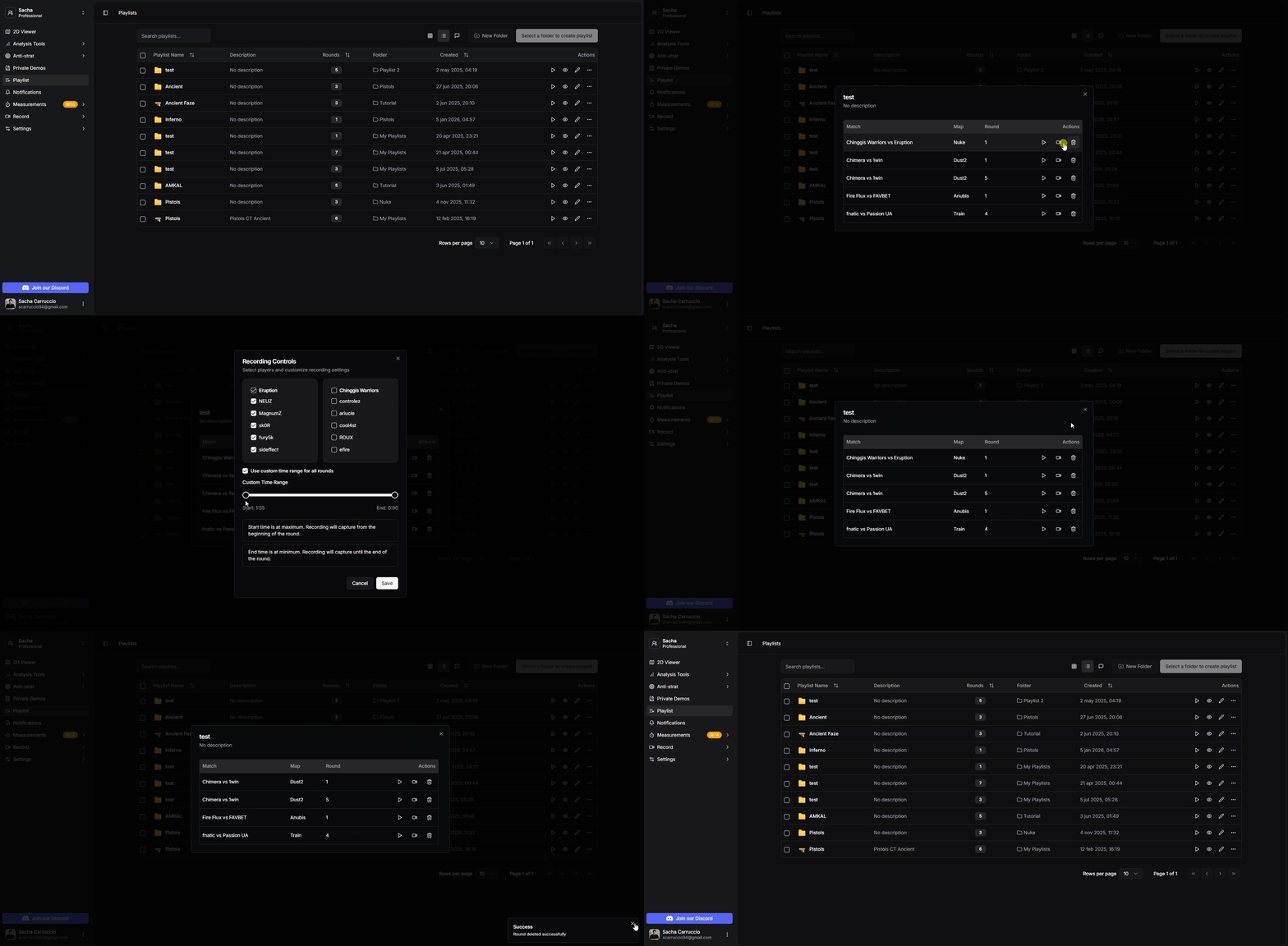
Viewing playlist details and managing rounds
Play through your entire playlist in sequence using the 2D viewer.
Click play to load all rounds from the playlist into the 2D viewer
All playlist rounds appear in the round selector for easy navigation
Use the toolbox button to switch between different playlists without leaving the viewer
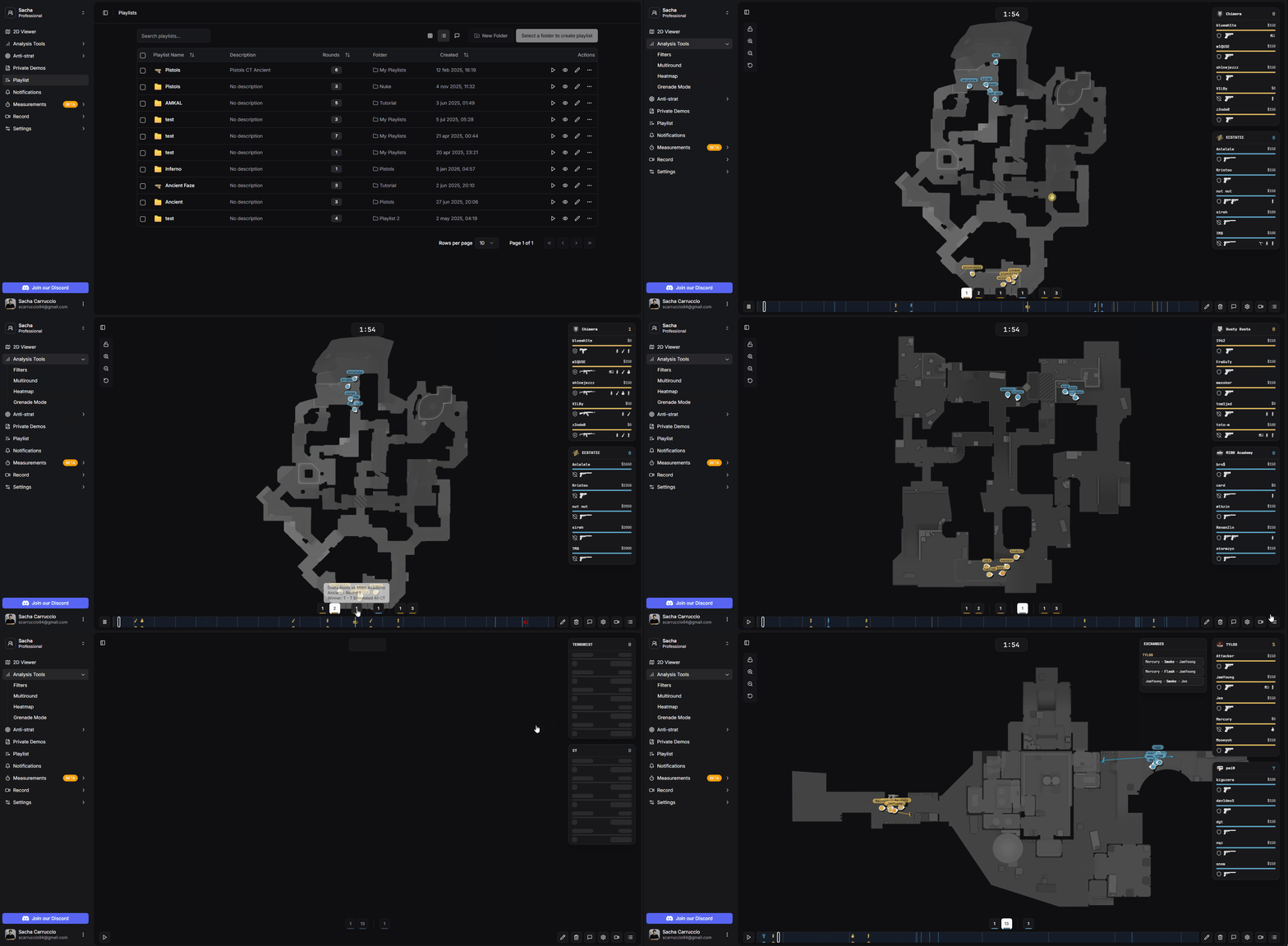
Playing and navigating playlists
Share playlists with people outside your team using temporary public links.
Right-click anywhere on the 2D viewer while playing a playlist
Select the Share Playlist option from the context menu
A unique public link is generated that you can share with anyone
Shared links are temporary and allow others to view the playlist without being part of your team.
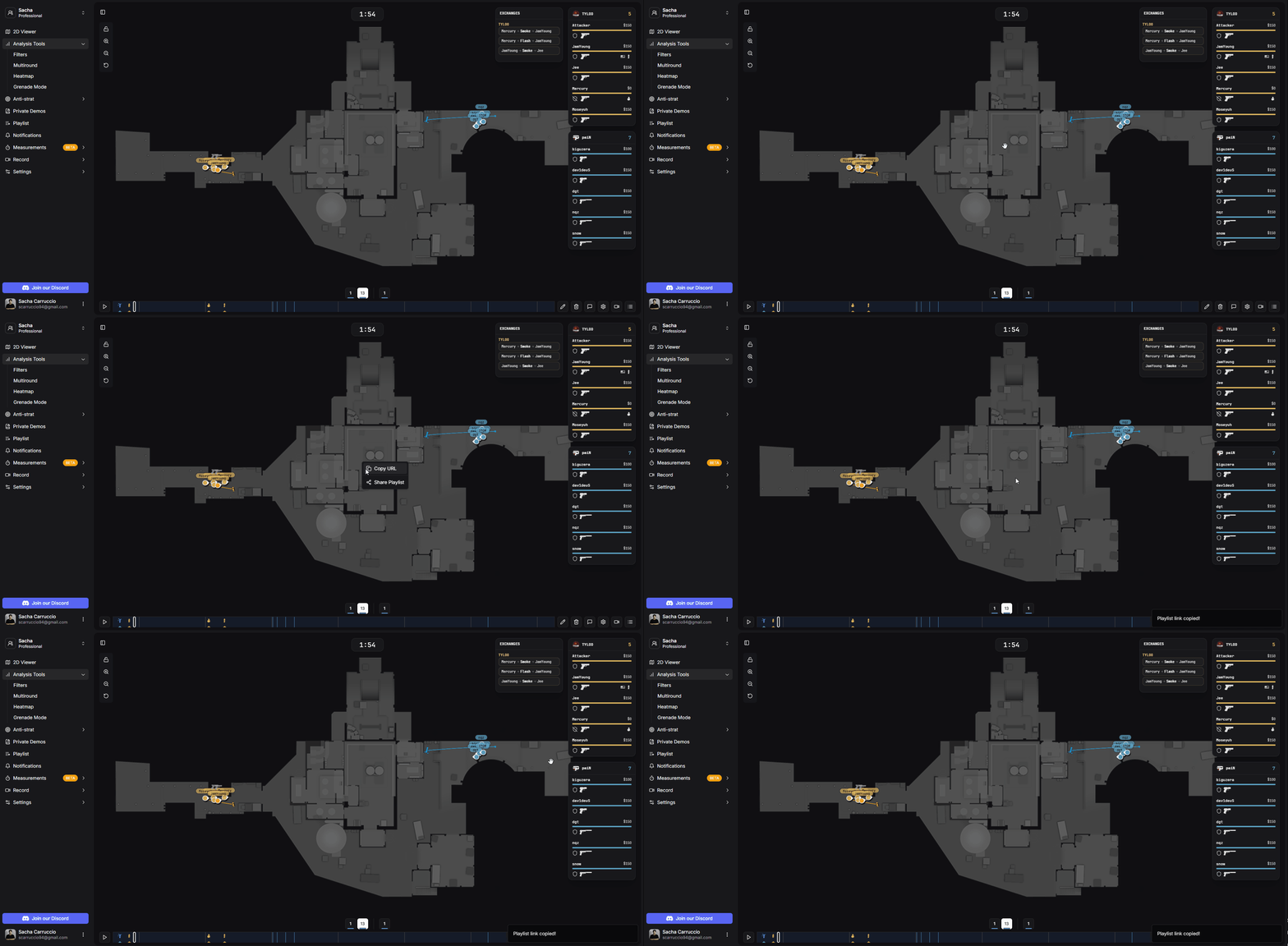
Sharing a playlist with a public link