Was this helpful?
Join our Discord community to ask questions, give feedback, or suggest improvements.
Join DiscordJoin our Discord community to ask questions, give feedback, or suggest improvements.
Join DiscordConnect your FACEIT account to CS2.CAM to automatically access your matches without manual uploads. Once linked, your FACEIT matches will appear directly in your Private Demos library.
Your FACEIT matches are automatically available in CS2.CAM. No need to manually download and upload demos.
All your FACEIT matches appear in the Private Demos section, ready to analyze with all CS2.CAM features.
Setting up the FACEIT integration is quick and easy. Follow these steps to connect your account:
Click on your profile icon and navigate to Settings, then click on 'Manage Team'.
If you have an individual license, the integration process is straightforward:
In the Manage Team section, click on the button with the FACEIT logo. You'll be redirected to authenticate with your FACEIT account.
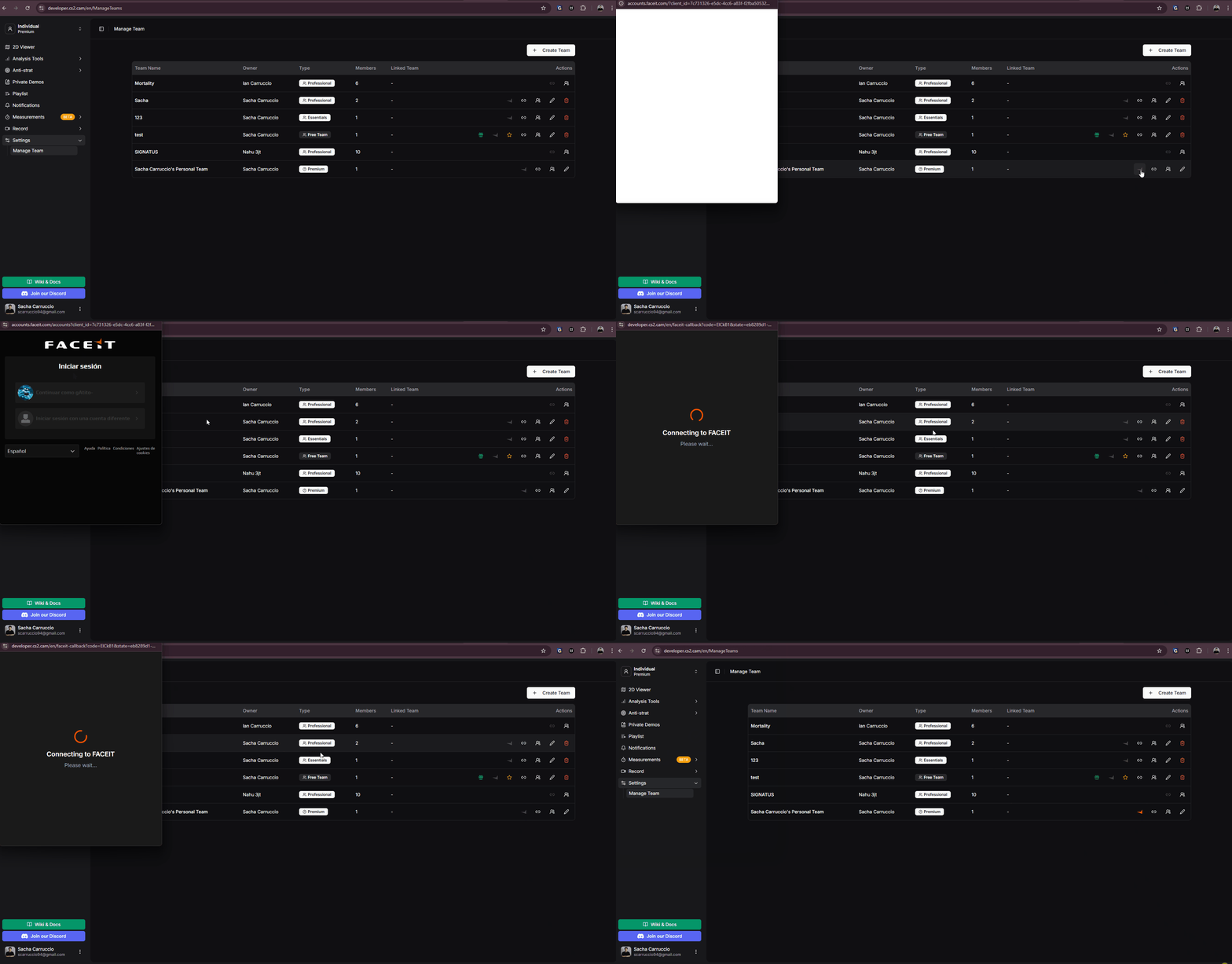
Linking FACEIT account with individual license
If you have a Teams or Essentials license, you have additional options for linking your FACEIT account:
Select this option to sync matches from your personal FACEIT account. Perfect for tracking your individual performance.
Select this option to sync matches from a FACEIT team. Choose your team from the list and all team matches will be synced.
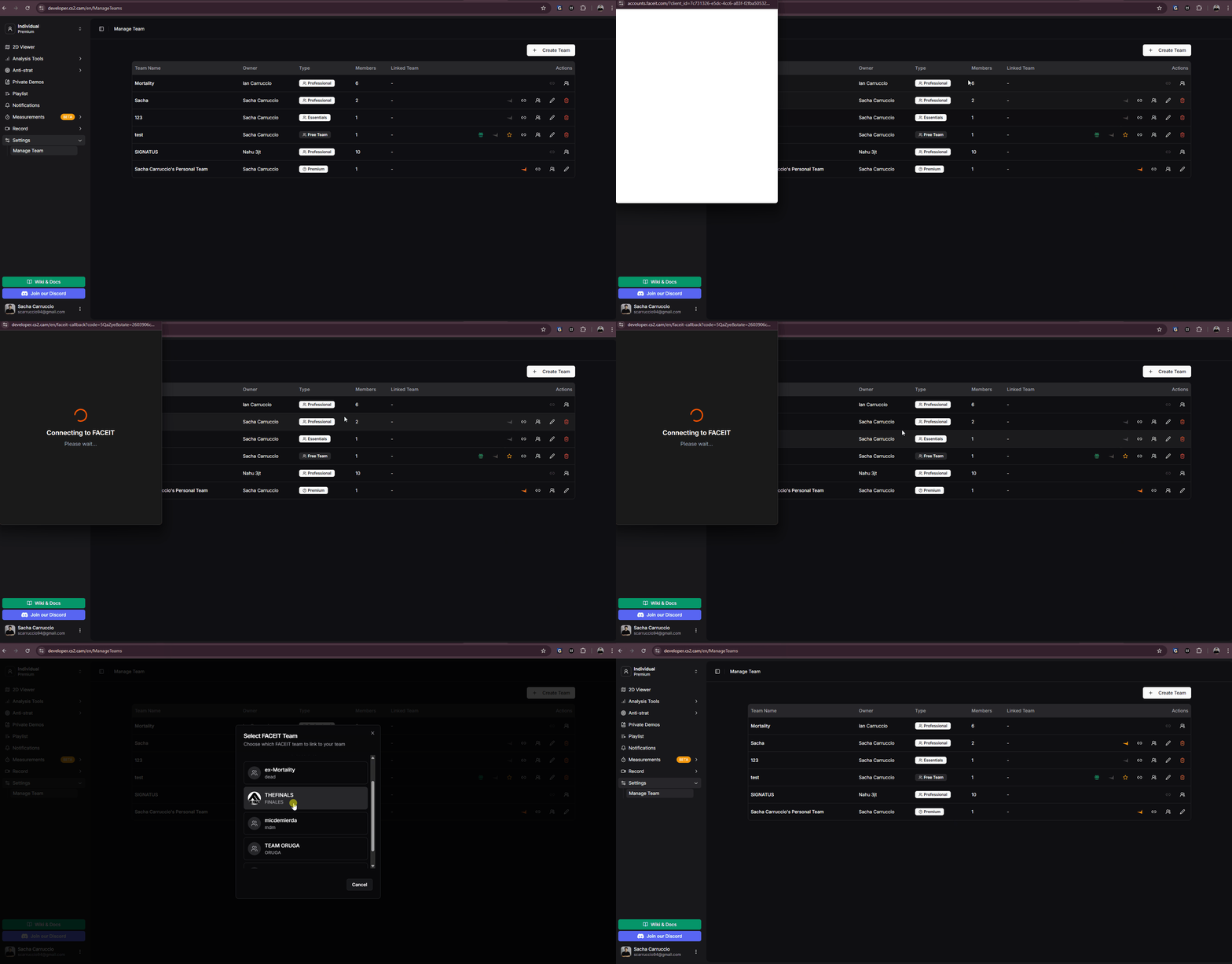
Linking FACEIT with team options
Once your FACEIT account is linked, your matches will appear in the Private Demos section. You can analyze them just like any other demo in CS2.CAM.
For more details on working with FACEIT matches, see the FACEIT Matches guide