Was this helpful?
Join our Discord community to ask questions, give feedback, or suggest improvements.
Join Discord[ RELATED ]
Join our Discord community to ask questions, give feedback, or suggest improvements.
Join DiscordFilters provide the same functionality as the 2D viewer but allow you to search across multiple demos to find specific situations for a selected team.
The minimum required to use filters is selecting a team and a map. From there, you can add additional filters to narrow down your search.
There are two ways to open the filters menu depending on your workflow.
Go directly to Filters from the sidebar. If you had previous filters selected, this will reset everything and start fresh.
If you're already in filters and want to modify your selection, click the magnifying glass button. This keeps your current filters and lets you adjust them.
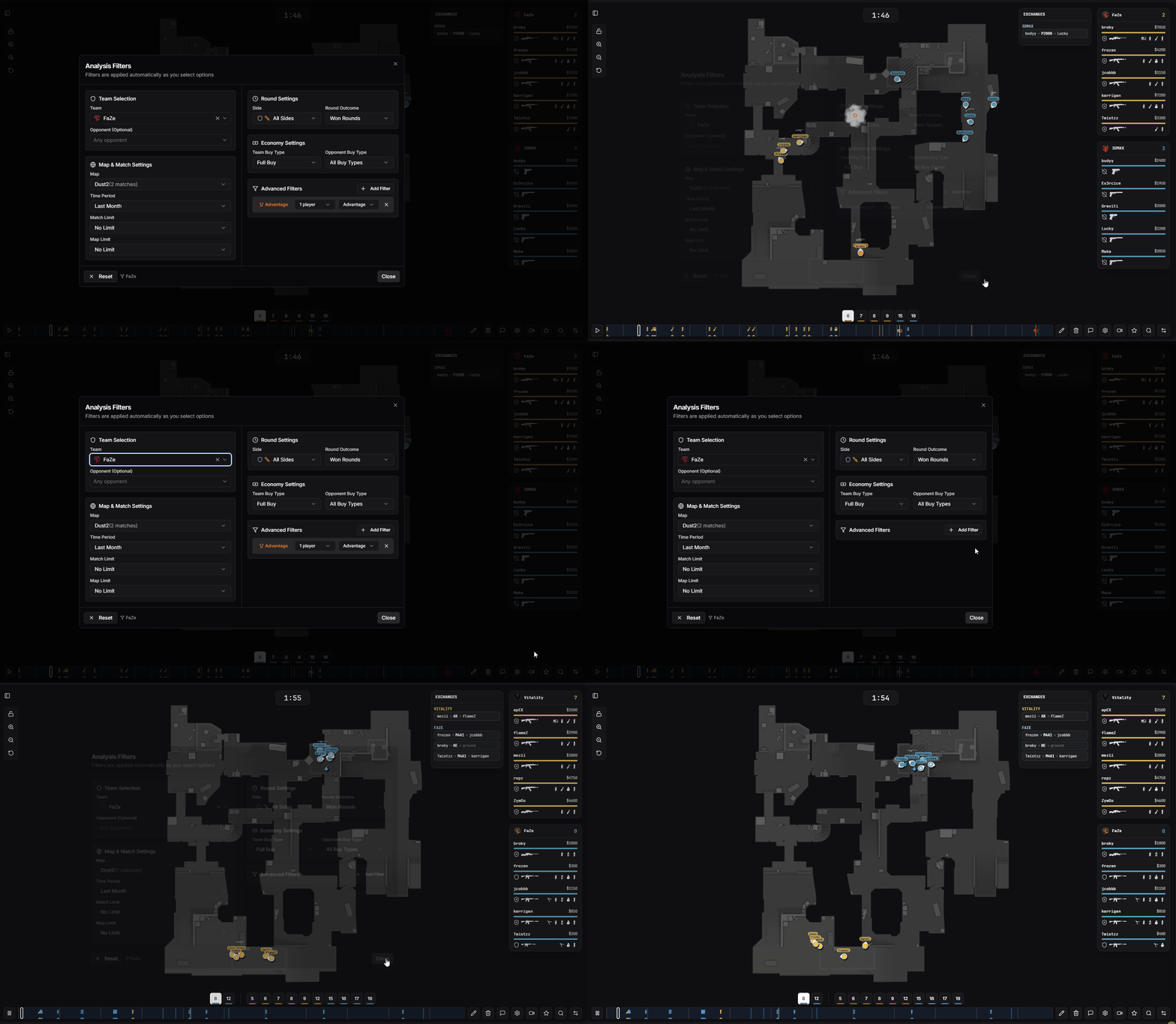
Quick access button to modify filters
From the filter menu, you can also switch between viewing modes without losing your filter selection.
View filtered rounds one by one in the 2D viewer
Click the double arrow button to switch to multi-round mode while keeping all your filters
Within multi-round mode, use the square button to cycle through three visualization modes: Multi-Round overlay, Heatmap, and Grenade Mode.
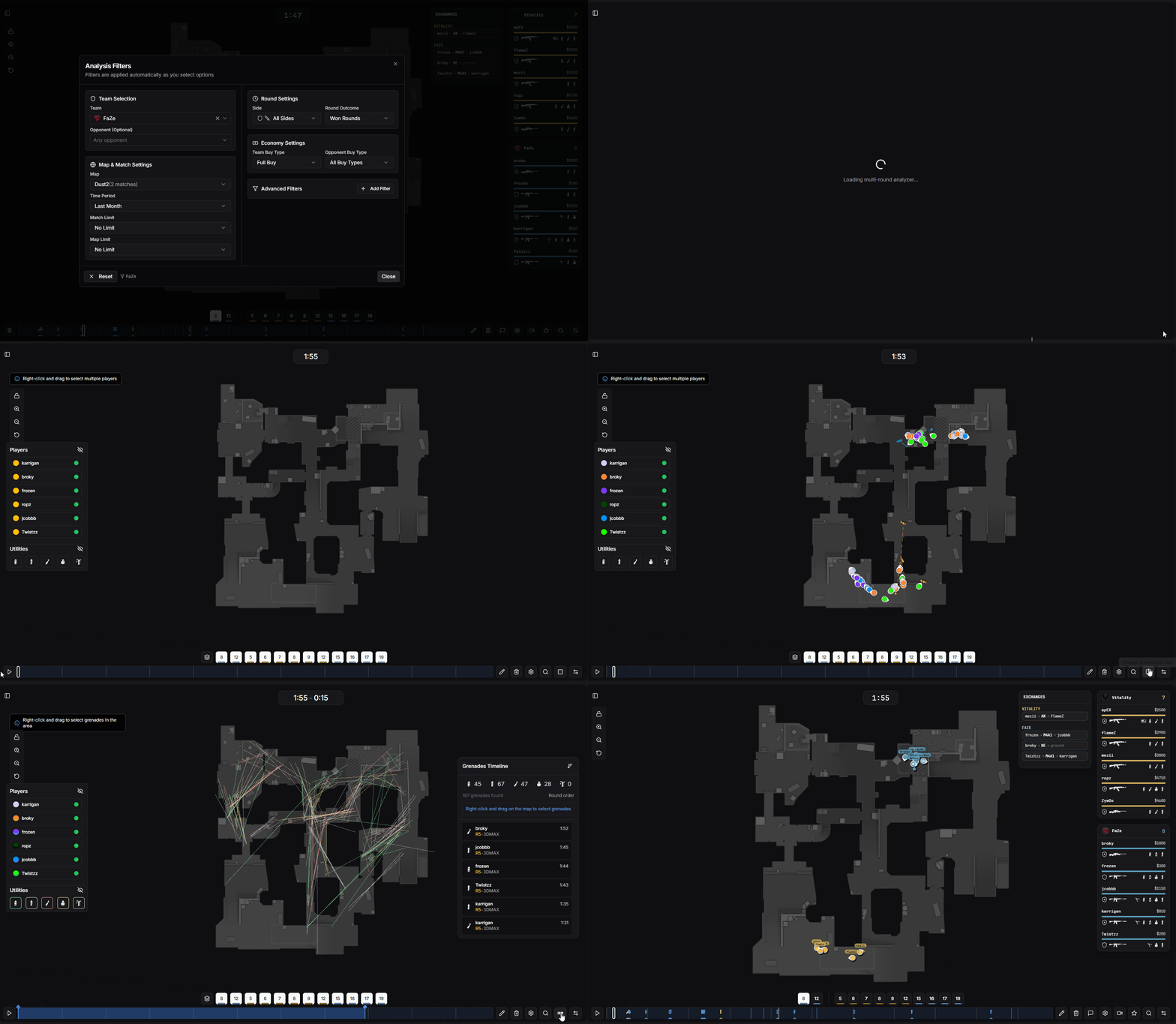
Switching between single round and multi-round modes
Basic filters help you define which matches and rounds to analyze.
Select the team you want to analyze
Filter by specific opponent team
Select the map to analyze
Filter by time range, for example the last 2 weeks
Limit results to the last X matches (e.g., last 5 or 10 matches)
Show the last X maps played regardless of how many matches. For example, see the last 5 times Nuke was played
Until now you picked one team and studied its rounds. Now you can go much broader: filter by the HLTV ranking, hand-pick several teams, and analyze them all together as a single dataset. Perfect for studying the current meta — defaults, executes, and setups from the best teams in the world on any map.
Open the team selector and pick a tier under HLTV Ranking. The rounds of every team in that tier are pooled and played together, with a RANK badge on the selector.
Ideal for analyzing how the best teams in the world play a map right now — defaults, executes, and setups across the entire top tier instead of a single team.
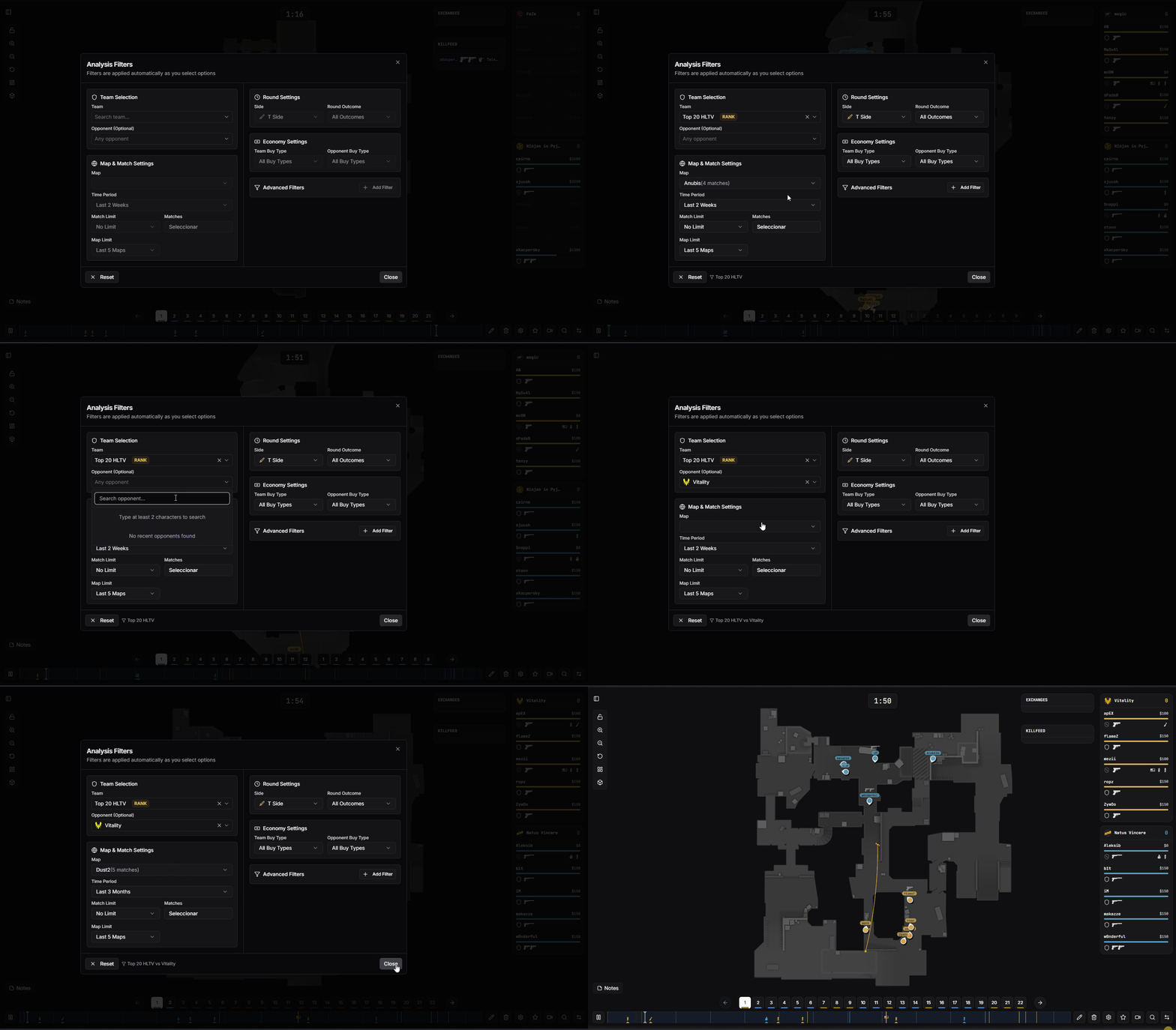
Selecting an HLTV ranking tier to pool the top teams
With a team selected, click the + on the selector to add more teams (e.g. FaZe + MOUZ). Add as many official HLTV teams as you want and analyze them as one combined dataset.
Tick or untick teams directly in the list — changes apply instantly, no extra apply button needed. Each selected team shows as a chip you can remove individually.
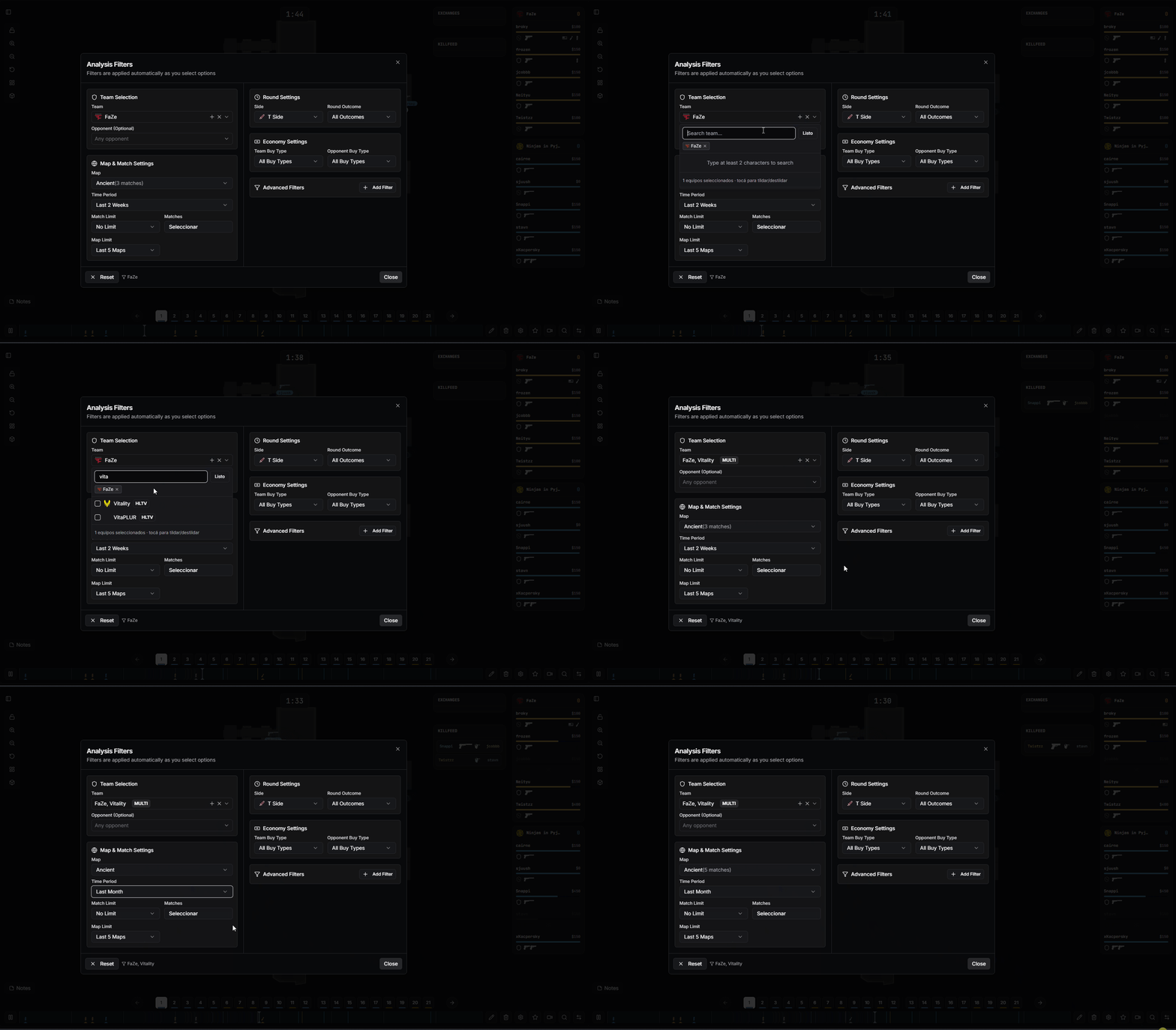
Adding multiple teams with the + button
After choosing your team pool, set a specific opponent to keep only the rounds played against that team. For example, study how Top 20 teams play against Vitality, or how FaZe + MOUZ approach a matchup versus Spirit.
The opponent filter applies the same way whether your pool is a single team, an HLTV ranking tier, or a manual multi-team selection — perfect for matchup-specific preparation and spotting tendencies against elite teams.
Team pools combine with every filter you already know: T / CT side, economy, weapons (double AWP, etc.), situations, advantages, specific opponents, and hand-picked matches. Less time clipping, more time understanding the game.
Round settings let you filter by specific round characteristics.
Filter by CT or Terrorist side rounds
Filter by rounds won or rounds lost
Economy filters allow you to analyze rounds based on buy types for both teams.
Filter by the selected team's economy (Full Buy, Half Buy, Eco, etc.)
Filter by the opponent team's economy
All these filters are combinable. For example, you can filter for FaZe rounds on Nuke in the last 2 weeks, CT side, won rounds, Full Buy vs Full Buy - or any combination you need.
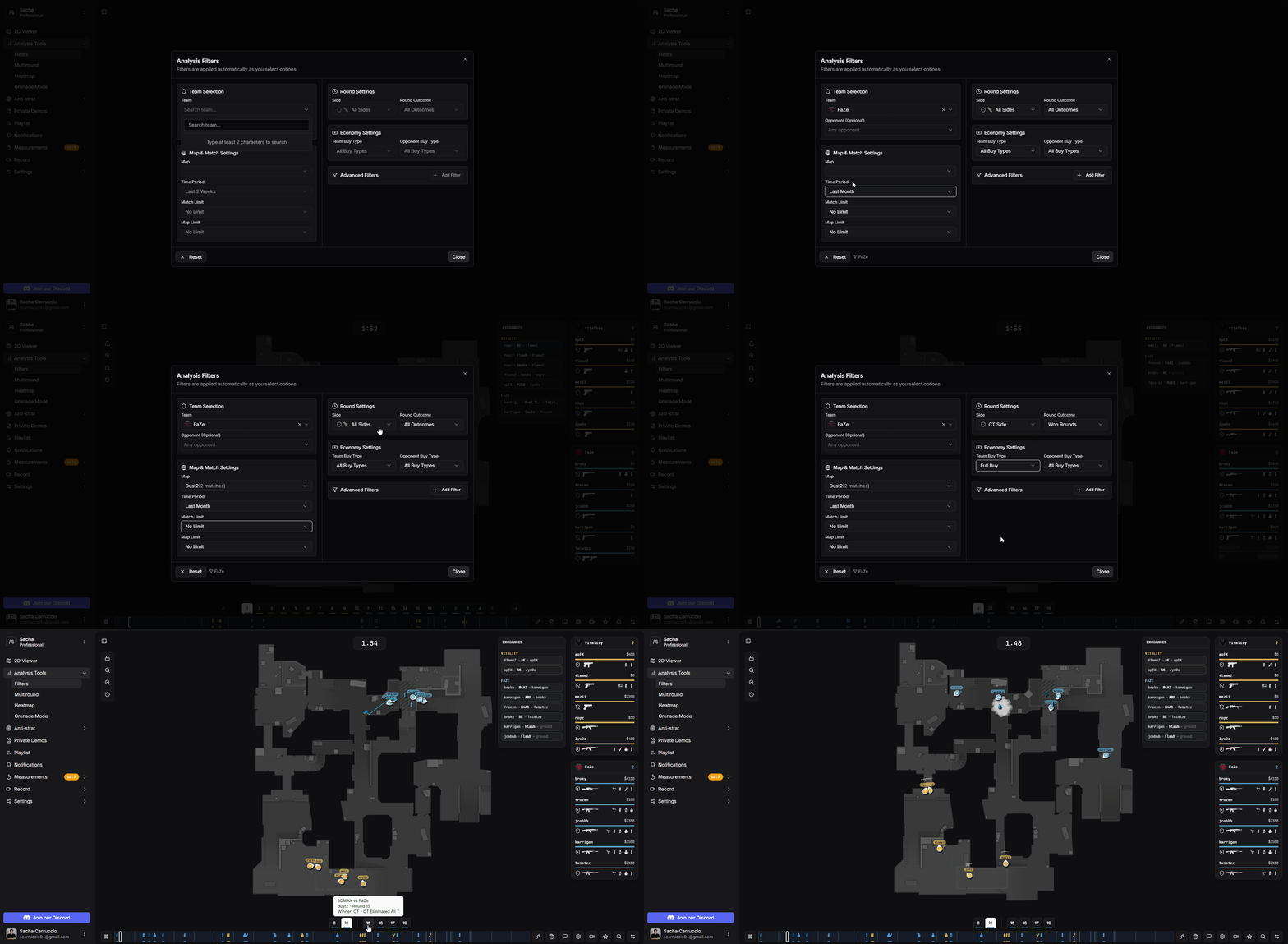
Basic filters configuration panel
Advanced filters provide more specific criteria to find exactly what you're looking for.
Filter by where the C4 was planted, defused, or exploded and on which site
Filter by weapons the selected team or opponent has (or doesn't have). For example, rounds with AWP
Filter rounds where two AWPs are present simultaneously on either team
Filter by specific player situations like 5v4, 4v5, 4vX, etc.
Filter the round after pistol with options for Won/Lost pistol and the reason (Bomb Exploded, CT Elimination, etc.)
Filter by player advantage/disadvantage. For example, 2 player advantage shows 4v2, 5v3, etc.
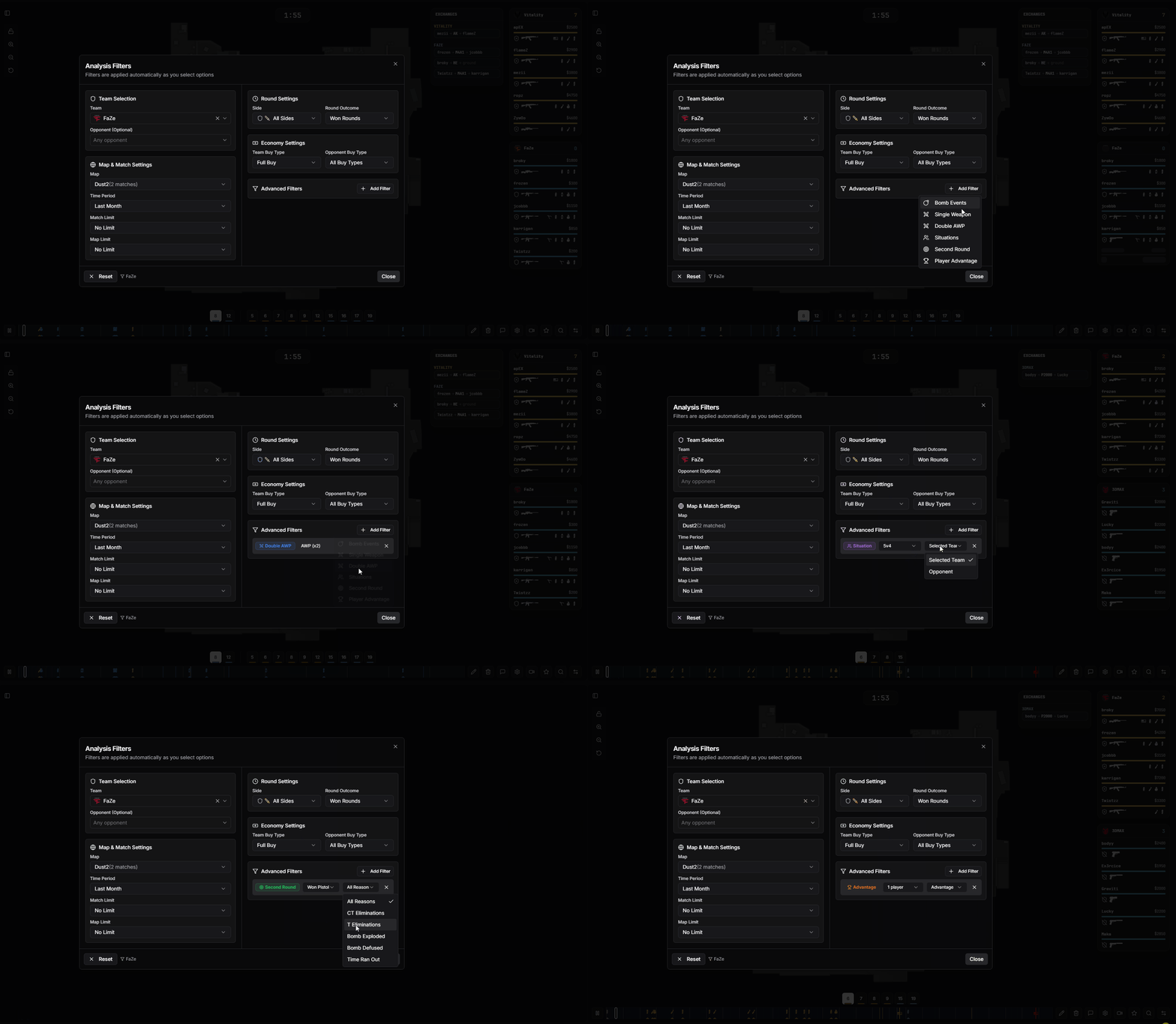
Advanced filters configuration panel
Filters can be applied across different analysis modes in CS2.CAM.
Use the filter button to view matching rounds one by one in the 2D viewer
See all filtered rounds overlaid on a single map view
Generate heatmaps based on filtered rounds
Analyze grenade patterns across filtered rounds
Advanced filters are fully combinable with basic filters, making anti-strat preparation and tactical analysis highly efficient.