Was this helpful?
Join our Discord community to ask questions, give feedback, or suggest improvements.
Join Discord[ RELATED ]
Join our Discord community to ask questions, give feedback, or suggest improvements.
Join DiscordHeatmap mode visualizes player positions and movements across multiple rounds, showing hot zones where players spend the most time.
Hot areas (red/orange) indicate frequent positions, while cooler areas (blue) show less traffic. This is powerful for identifying defensive setups, rotation patterns, and common engagement areas.
Heatmap mode uses the same powerful filter system available in the 2D viewer. You can filter by team, opponent, map, economy, round result, and many more options.
For detailed information on all available filters, see the Filters Overview
On the left side of the screen, you'll find a player selector that lets you control which players are visible on the heatmap. Click on any player to toggle their visibility.
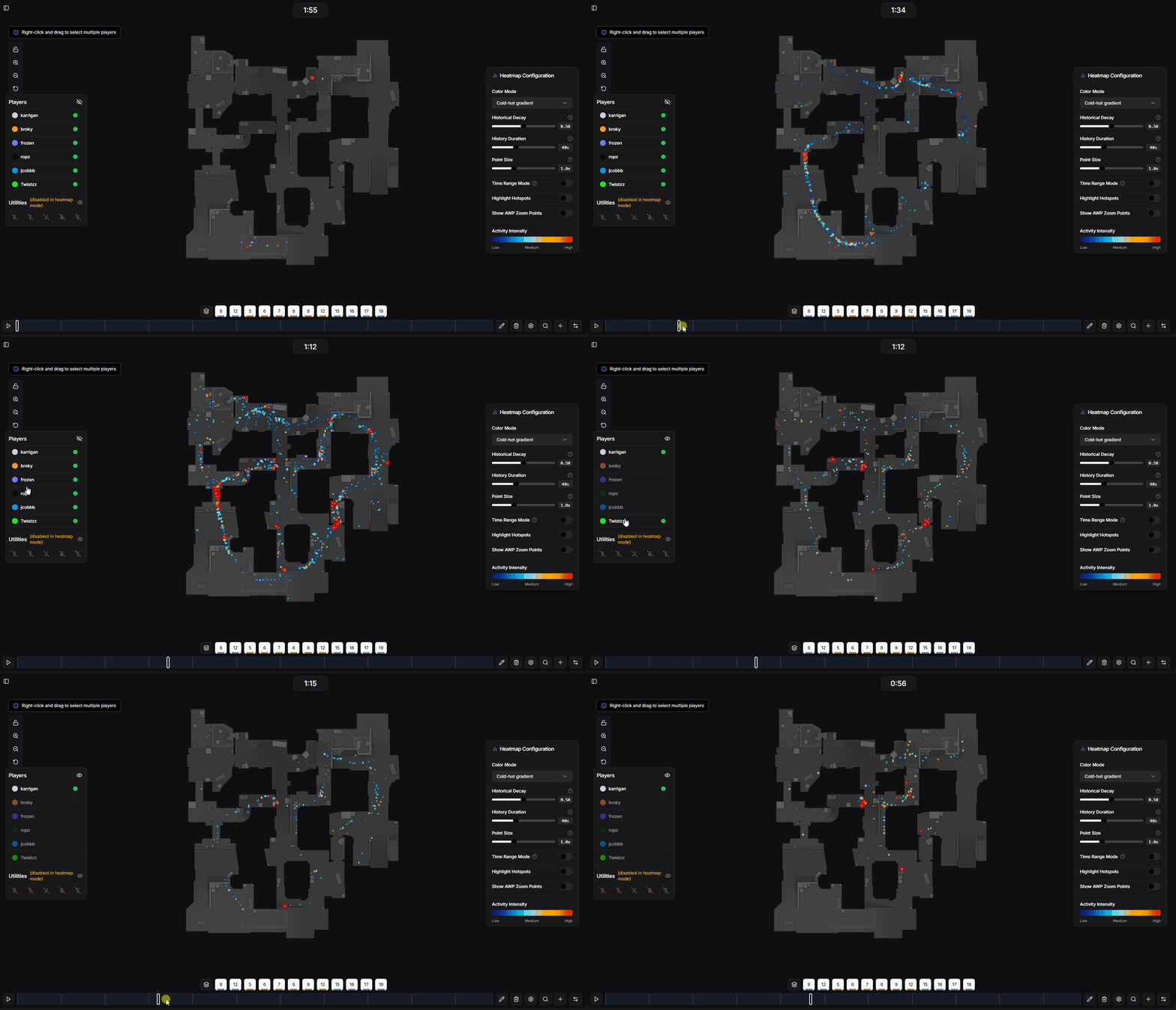
Player selection panel for heatmap visibility
On the right side of the screen, you'll find the heatmap control panel with various customization options.
Choose between Cold-Hot Gradient (blue to red), Team Colors (CT blue, T orange), or Monochrome (single color)
Controls how quickly old points fade away. Higher values mean only recent movements are visible
How many seconds of previous activity are shown on the heatmap
Controls the size of points on the heatmap for more or less detail
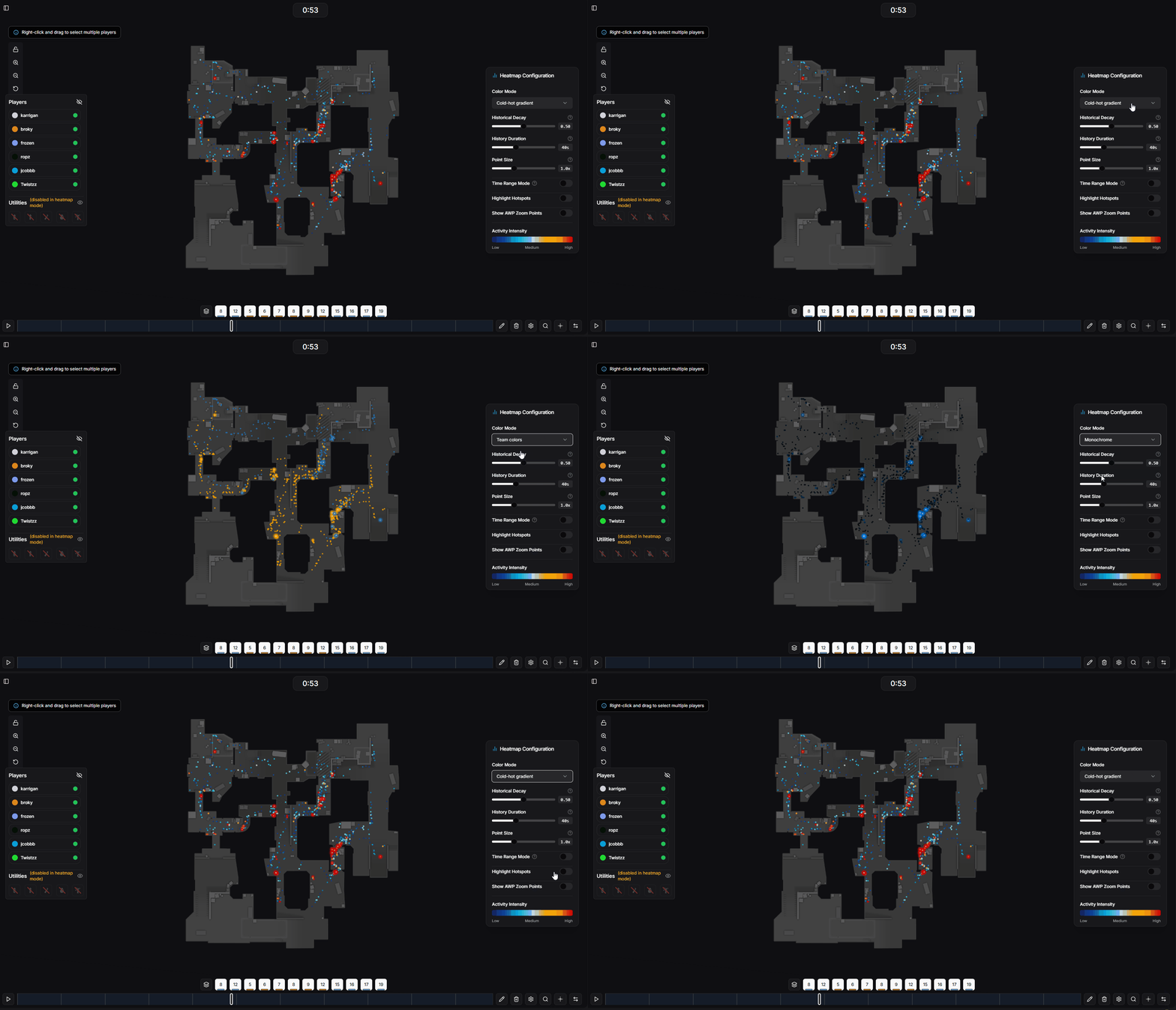
Heatmap color mode options
Time Range Mode shows heatmap data for a custom time range instead of following the current playback position.
When enabled, you can drag both ends of the time slider to define a specific window. The timeline will display two clocks showing your selected range, allowing you to analyze specific phases of a round.
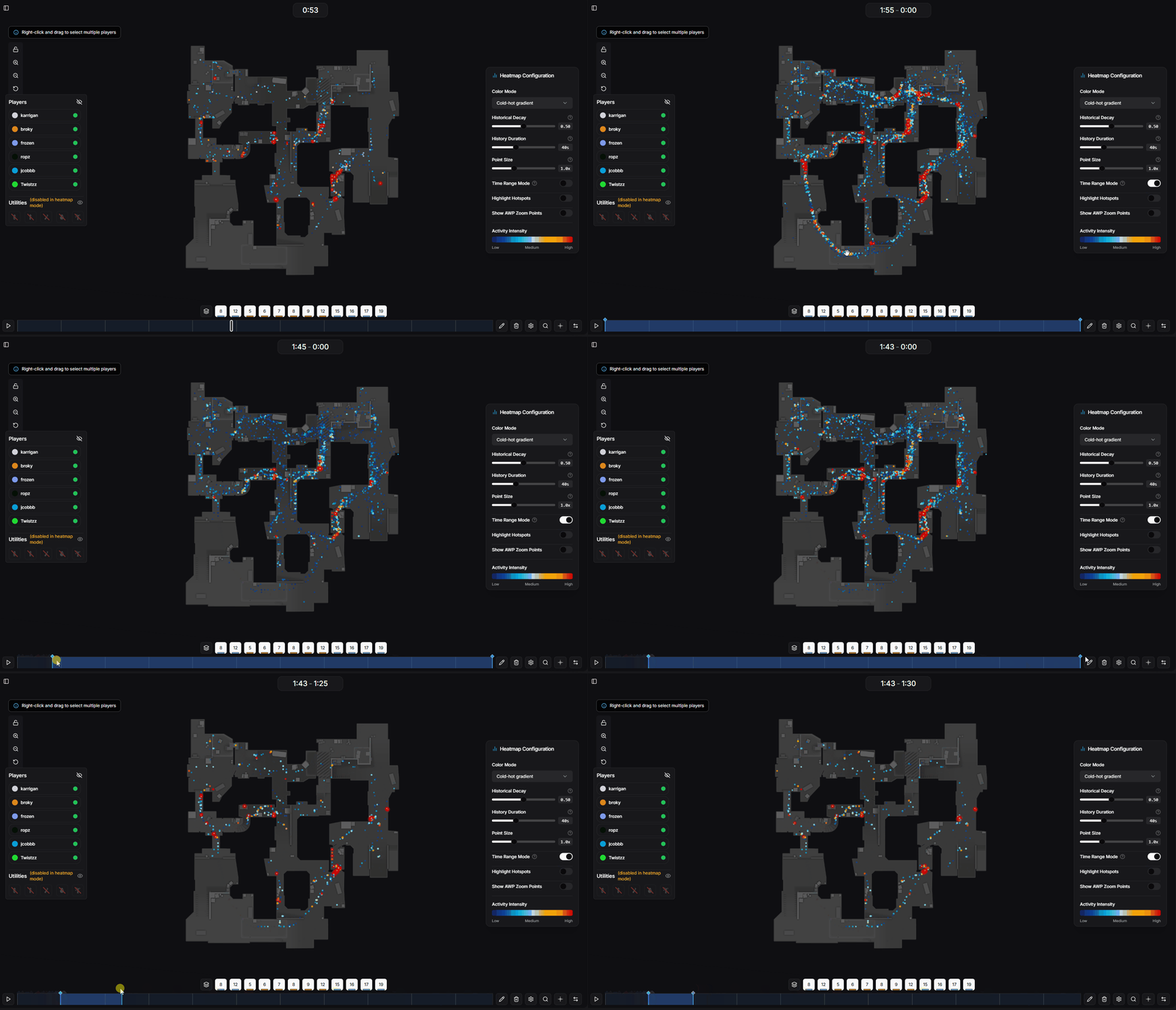
Time range mode with dual slider
The heatmap includes additional tools for more detailed analysis.
Intensifies the most frequently visited areas, making hot zones more visible and easier to identify
Creates a heatmap showing positions where players had their AWP scope active, useful for identifying common AWP angles
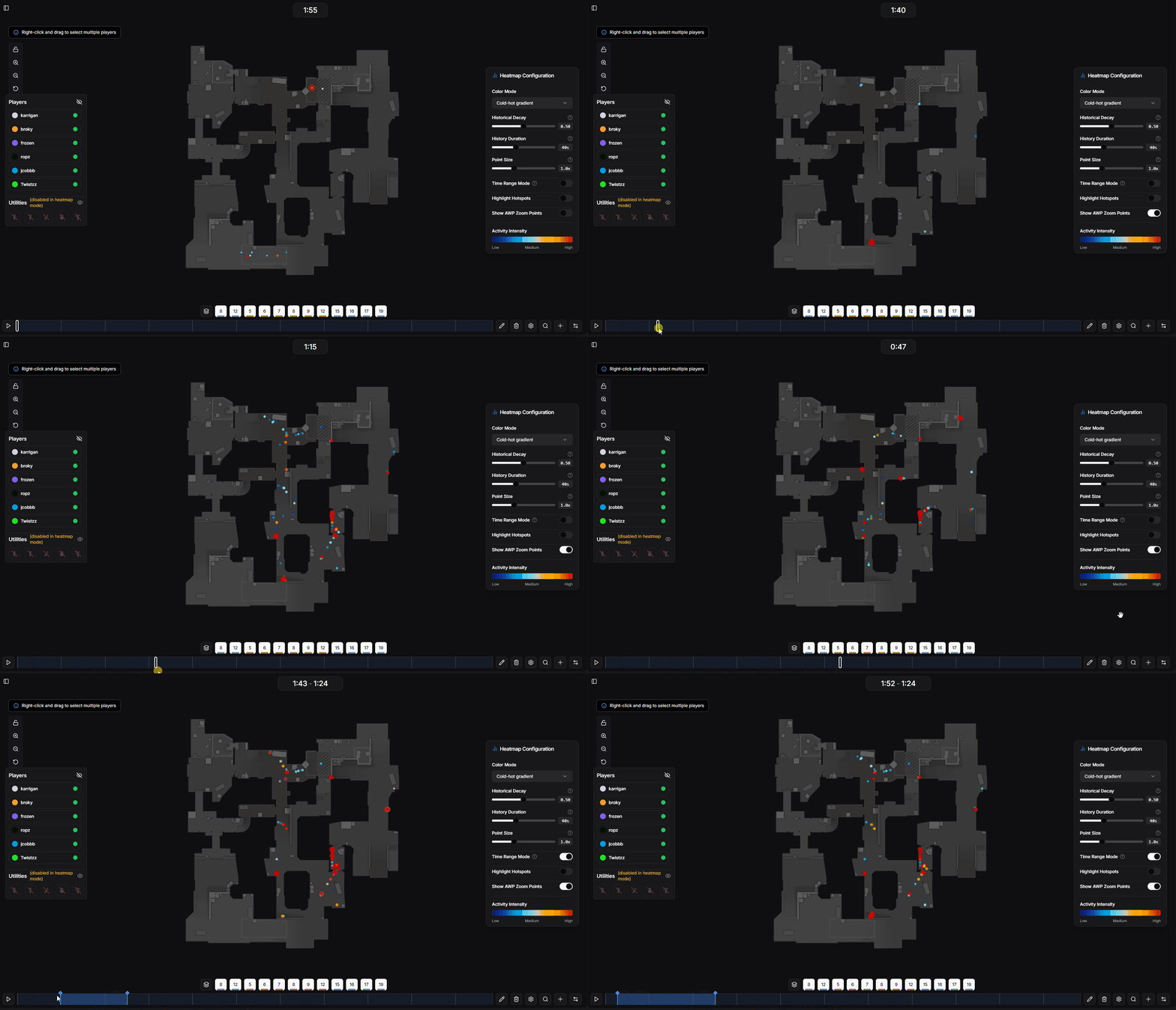
AWP zoom points heatmap visualization